
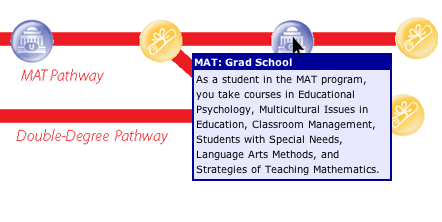
To learn more about your program options, select an Diagnostic Imaging pathway from the list at left. When viewing the pathway, mouse over buttons on the path to reveal additional details about your education choices, as in this example:
Legend

Mouse over the “Start” button to learn about your pathway options. Mousing over some start buttons reveals additional information about entrance requirements, special opportunities available to veterans, and opportunities for high-school students to earn college credits while in high school.



Some blue buttons represent taking classes at a community college (C), university (U) or graduate school (G). Others represent time spent on the job (clock). Mouse over a blue button to reveal information about a course of study or other activity you’ll engage in on a career pathway. Click a blue button to get detailed information.

Mouse over a gold button to reveal the name of the certificate or degree you will earn—as well as snapshot information about job opportunities and salaries available to you at a particular point on a pathway, if applicable. Click a gold button to get detailed information about jobs available to holders of the certificate or degree.

Mouse over a transfer button to find out what other degrees and certificates could give you credit toward moving along this pathway or to find out what other pathways you could apply your credits toward when you complete this pathway.